Loading your invoice workspace…

Creating an invoice online for free takes about two minutes once you know what belongs on it — and knowing matters, because an invoice that is missing a due date, an invoice number or a clear description is an invoice that gets paid late. This guide walks through the whole process, step by step, using the same flow our free invoice generator uses, so you can follow along with any tool — or open Invoicekin and do it live as you read. However you phrase the question — how to create an invoice, how to make an invoice — the steps are the same, and they are all here.
You do not need accounting software, a spreadsheet template or design skills. You need your details, your client's details, a clear list of what you did, and terms that tell the client exactly when and how to pay. If you have been searching how to do an invoice properly for the first time, this is the whole method — nothing skipped.
Who is this for? Freelancers first of all — a professional invoice is often a new client's first real impression of your business, and a polished one lands with real impact. Business owners follow the same steps for everyday professional billing, and agencies for client billing that has to look as credible as the work itself. Even restaurants use this recipe: rename the document “Bill” with Invoicekin's custom labels, list the dishes as line items, add the tax — and the invoice is the bill. The same steps serve construction crews billing a job in stages, consultants and coaches billing by the hour, online sellers who need SKU and order numbers on the document, and designers who want the invoice itself to look like their portfolio.
What every invoice must include
Six things are non-negotiable: your business name and contact details, your client's name, a unique invoice number, the issue date and due date, an itemised list of work with quantities and rates, and the total due. Add your tax ID if you are registered for tax, and your payment details or a payment link so paying is effortless.
Invoices are also records. Sequential numbers (INV-1001, INV-1002) keep your bookkeeping clean, make it trivial to reference an invoice in an email — “re: INV-1042” — and are what accountants and tax authorities expect to see.
Step 1: Add your business profile once
In Invoicekin, Settings → Business profile holds your business name, email, phone, optional address and tax ID, plus your logo and your drawn signature. Enter them once and they appear on every invoice automatically — that is the difference between a tool you re-type into and a system that works for you. On the free plan you get this in full: logo and signature are free on every plan. Do this once, and how to prepare an invoice stops being a question — every new invoice starts pre-filled.
Step 2: Choose the client and the dates
Pick the client (add them first if they are new — free plan holds up to 5 clients), set today's date as the issue date, and set the due date from your terms. Net 14 and Net 30 are the common freelance terms; our free Due Date Calculator works the exact date out for any term. Clear terms agreed before the work starts are the single biggest predictor of on-time payment.
Step 3: Itemise the work honestly
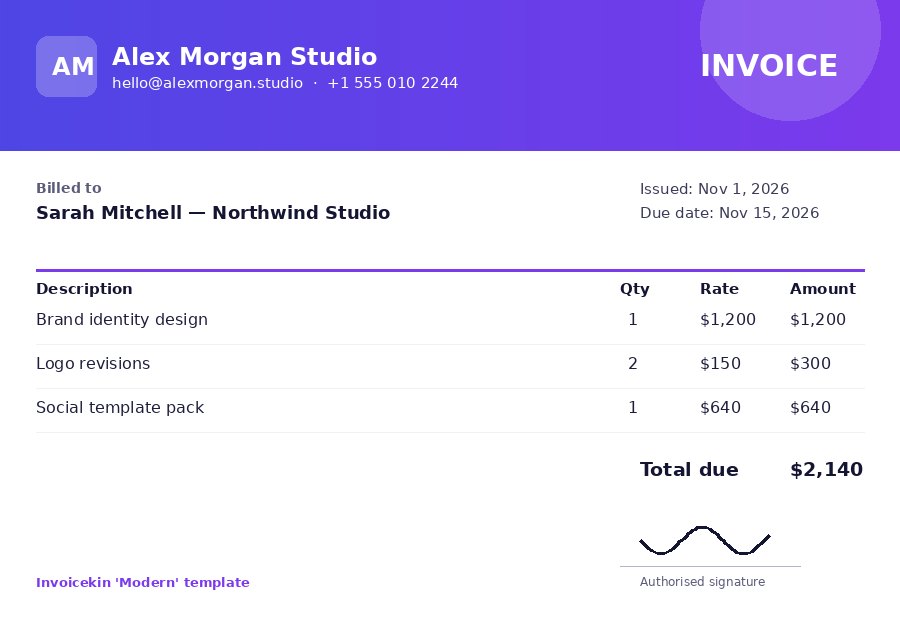
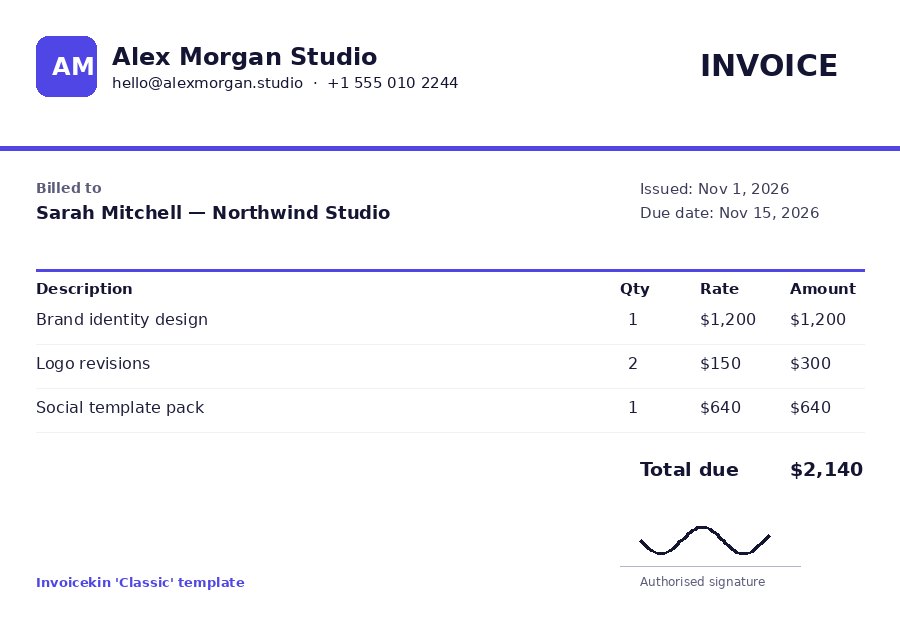
One line per deliverable, written the way the client would describe it: “Homepage design — final files” beats “Design work”. Add a payment link if you have one (Pro adds a scannable Scan-to-pay QR code automatically), choose one of the six graphical templates — Classic and Minimal are free — and pick the invoice language if your client works in Spanish, French or German. The fixed labels translate; your words stay yours.
Step 4: Send it so it can be tracked
Send the invoice the moment the work is delivered, not at the end of the month. Mark it Sent in Invoicekin and, when your client opens it, view tracking moves it to Viewed with a timestamp and emails you — no more guessing whether it arrived. A one-tap WhatsApp or email message with the total and payment link, written politely, does the rest.
Common mistakes that delay payment
Sending late, forgetting the due date, vague descriptions, no invoice number, and making the client ask how to pay. Every one of them is a friction point, and friction is what turns a 14-day payment into a 45-day chase. Our guide on how to write an invoice that gets paid faster goes deeper on each.
Try it free — 15 invoices a month, no card
Create your first invoice in minutes with the free Invoicekin app, browse the free tools, or compare plans on the pricing page.
FAQs
How do I make an invoice if I've never sent one before?
Start with the six essentials above — your details, the client's details, an invoice number, dates, itemised work and a total — then send it the day the work is delivered. If you want to make an invoice right now, the free maker on the Invoicekin homepage walks you through it in about two minutes, with no account.
How to fill out an invoice, field by field?
Business name and contact details at the top; the client's name (and their VAT / Tax ID if they have one); a unique invoice number; the issue date and due date; one line per item with quantity and rate; then any discount, tax and shipping in that order — and the total. Every one of those fields exists in the editor, so there is nothing to improvise.
Is it really free to create an invoice online?
Yes. Invoicekin's free plan includes 15 free invoices every month plus 50 free tool credits for estimates, receipts and other documents — no card required.
What is the best free invoice generator for a beginner?
One that includes your logo, signature and business details automatically, tracks whether the client viewed the invoice, and does not watermark your work beyond a small footer. See our free invoice generator guide for a full checklist.
Do I need to register a business to send an invoice?
Rules vary by country, but sole traders and freelancers invoice under their own name in the US, UK, Canada and Australia every day. Check your local tax registration thresholds.
Can I create an invoice on my phone?
Yes — Invoicekin is mobile-first: the editor and live preview work fully on a phone, which is where most freelancers actually send invoices.